News
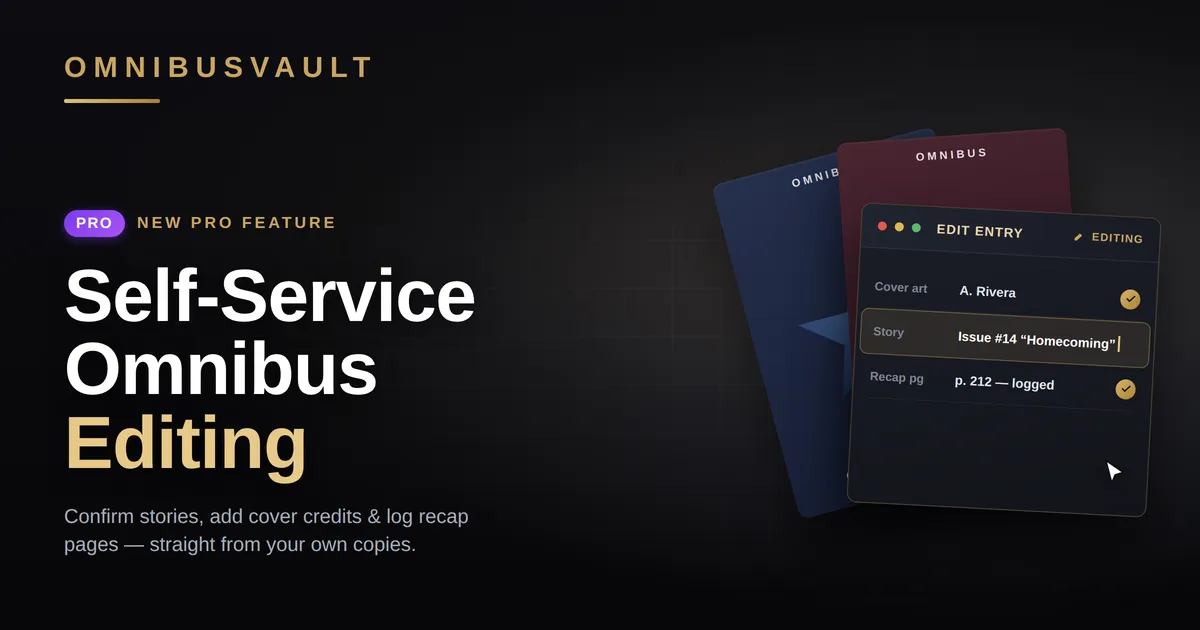
New Pro Feature: Self-Service Omnibus Editing
Spot something off in an omnibus? Pro users can now fix it themselves.
With over 1,000 collected editions in our database, odds are you'll eventually open an omnibus page our team hasn't fully vetted — a missing story here, a scrambled reading order there. Until now, the answer was the Submit Feedback button, which still exists and is still the way to go for free users. But you know your shelf better than anyone, so we've built a self-service editing interface that lets Pro users fix problems directly. Here's how it works.
Adding back missing stories
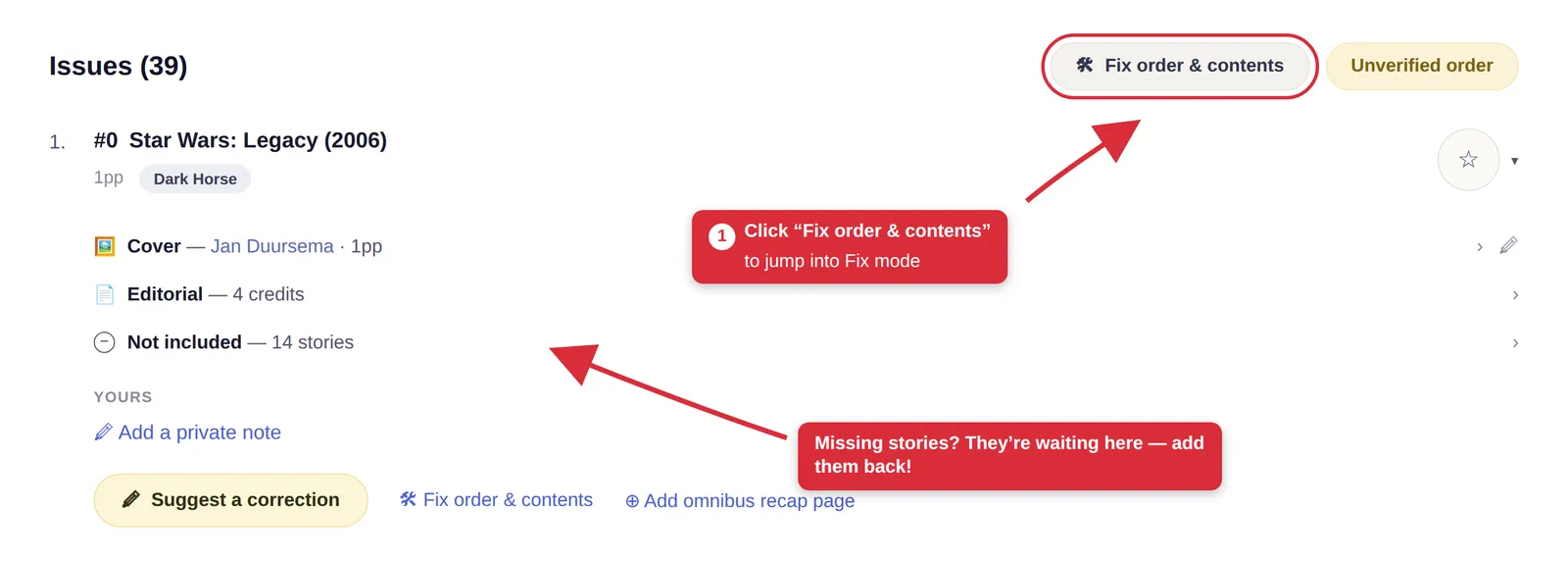
Say you pull up __Star Wars: Legacy #0__ and something doesn't add up: the page lists a cover and some editorial credits, but none of the character profiles you can see in your actual copy. Scroll down and you'll find the explanation — a "Not included — 14 stories" row. That's not missing data. Those are fourteen stories we already have on file, waiting for someone to confirm they belong in this printing. The Fix order & contents button in the top corner is your way in.
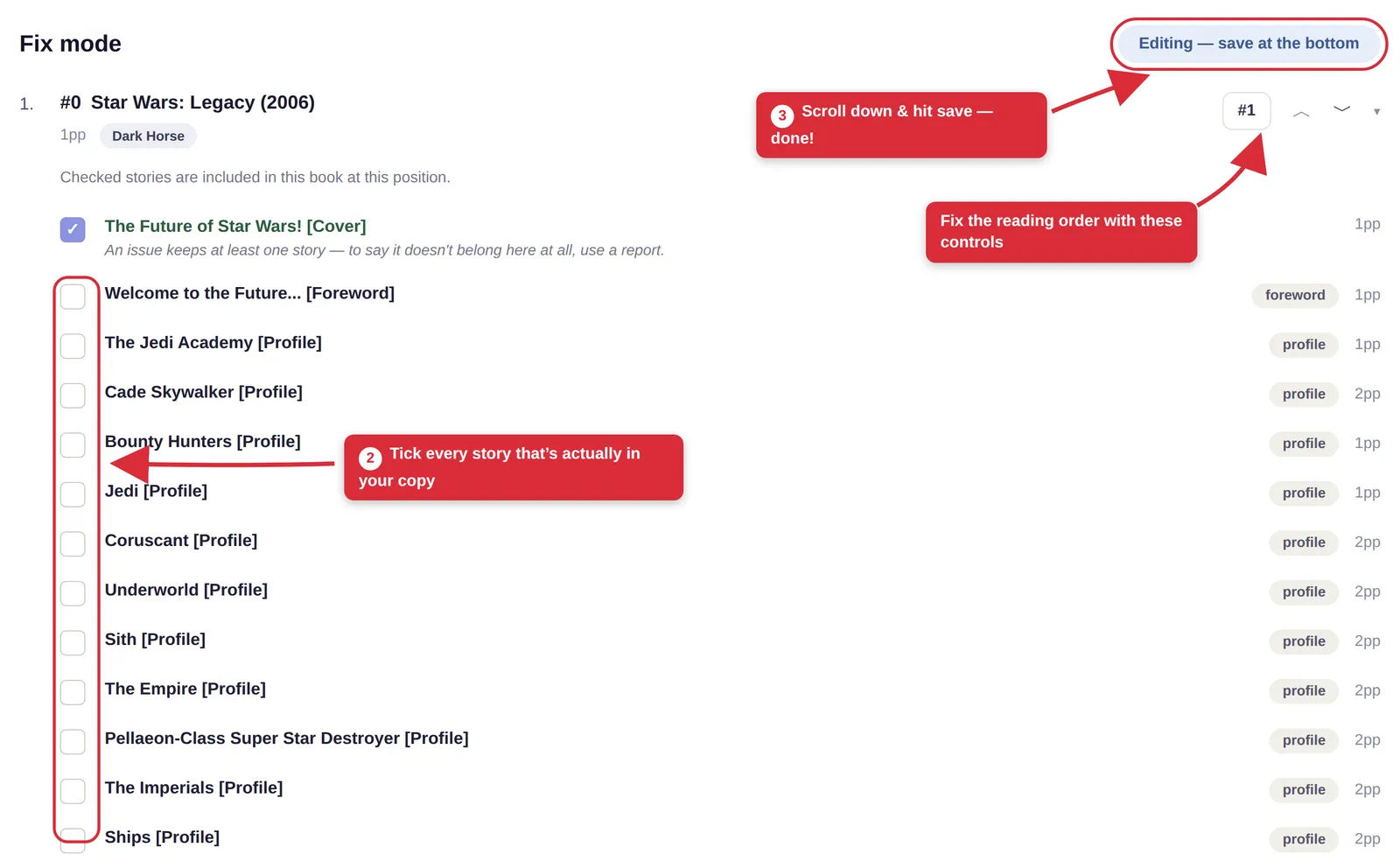
One click and you're in Fix mode: every story we have for the issue, laid out with a checkbox. Checked means "this is in the book at this position." Go down the list with your copy open and check off everything that's actually there. If the reading order itself is wrong, the position controls on the right let you move issues around while you're at it.
When the record is blank
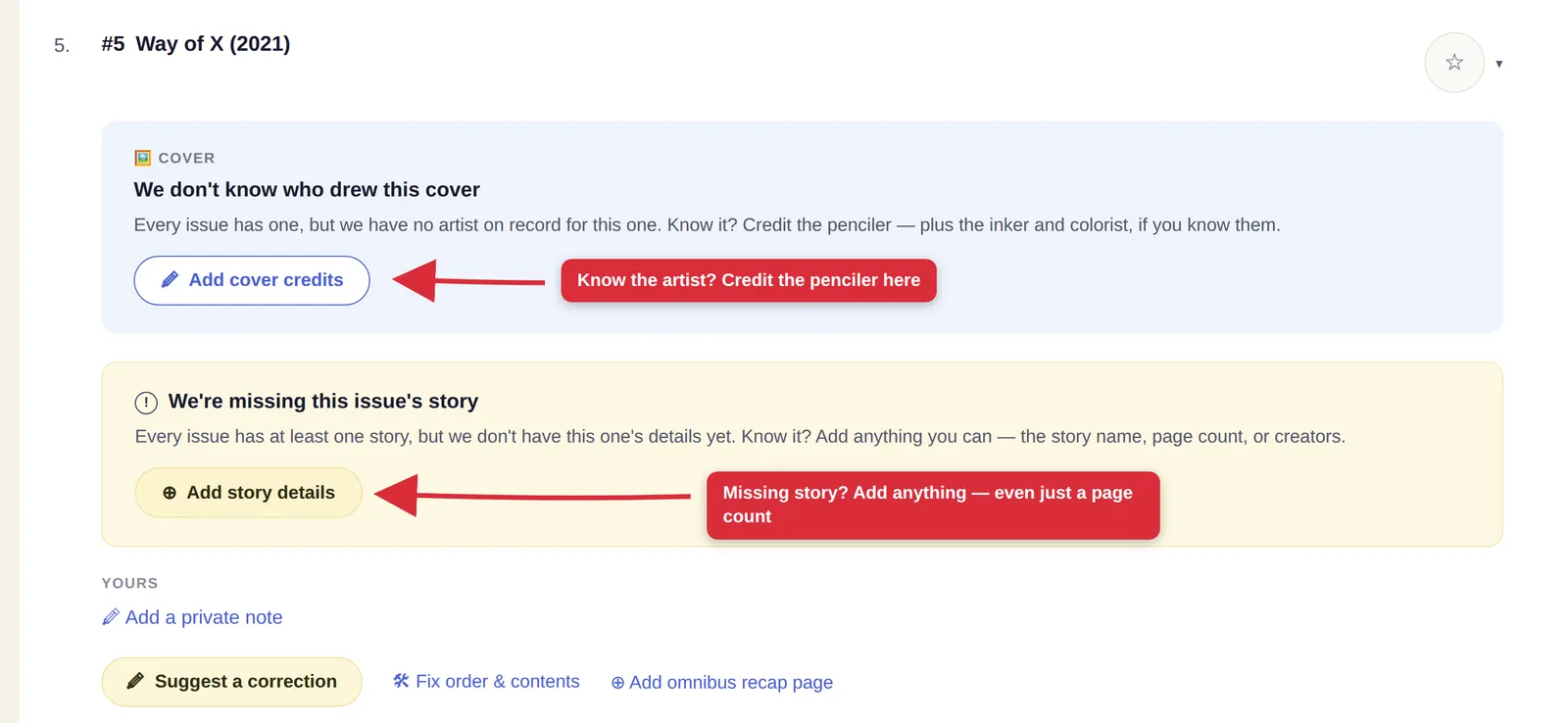
Fix mode covers the case where we have the content and just need you to confirm it. Sometimes, though, there's nothing to check off at all. Take Way of X #5: no cover artist on record, no story details. Issues like this will have clear callouts. Blue For the unknown cover, and a yellow one for the missing story-- each with a button to help fill in the gaps. Here, you're not re-including our data; you're the source, helping fill in the gap!
Cover credits
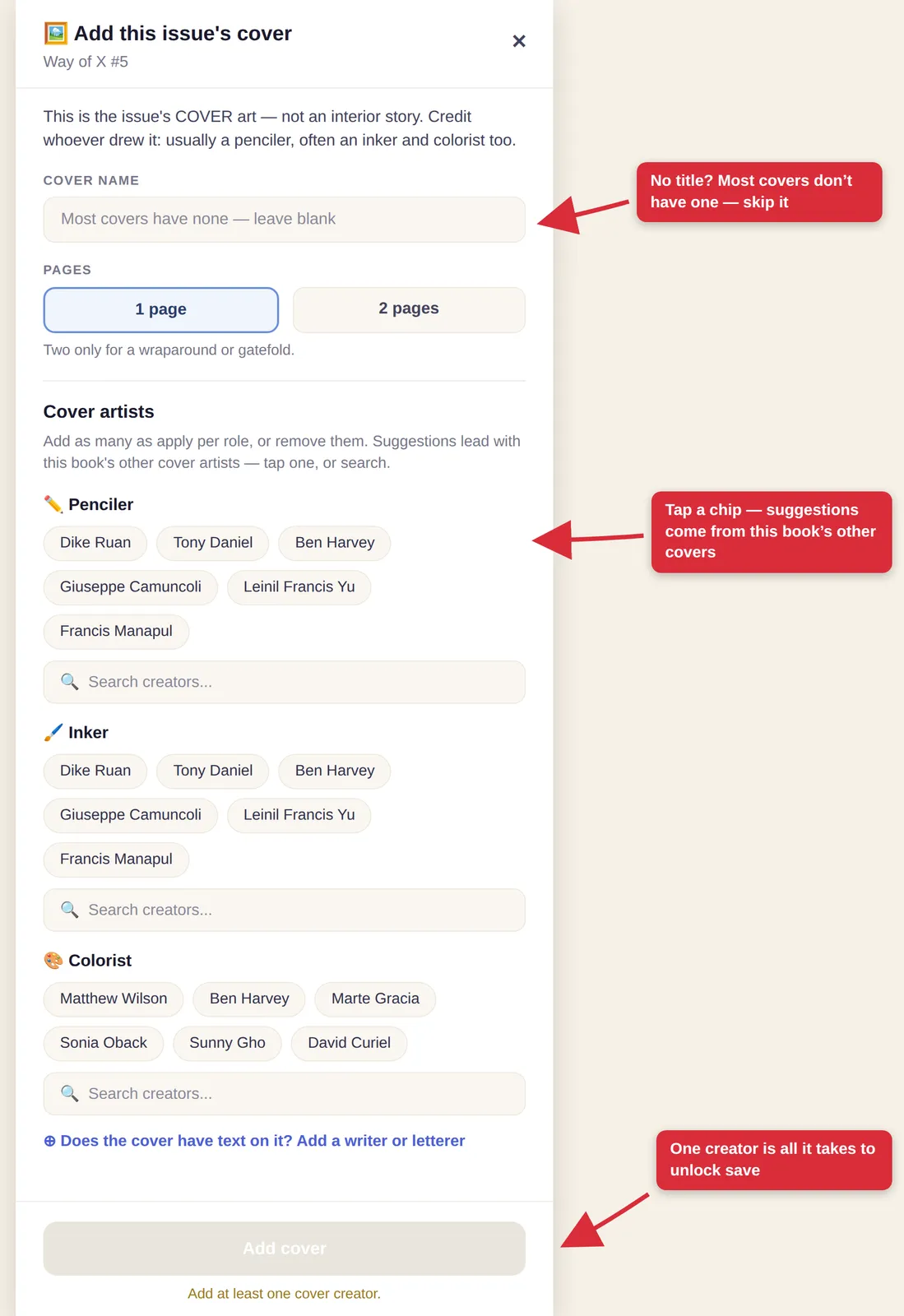
Add cover credits opens a form that does most of the thinking for you. Cover name? Most covers don't have one — leave it blank. Two pages is only for a wraparound or gatefold. And the penciler, inker, and colorist suggestions are pre-loaded from this book's other covers, so the right name is often already sitting there as a chip. Tap it and save — one creator is all it takes.
Story details
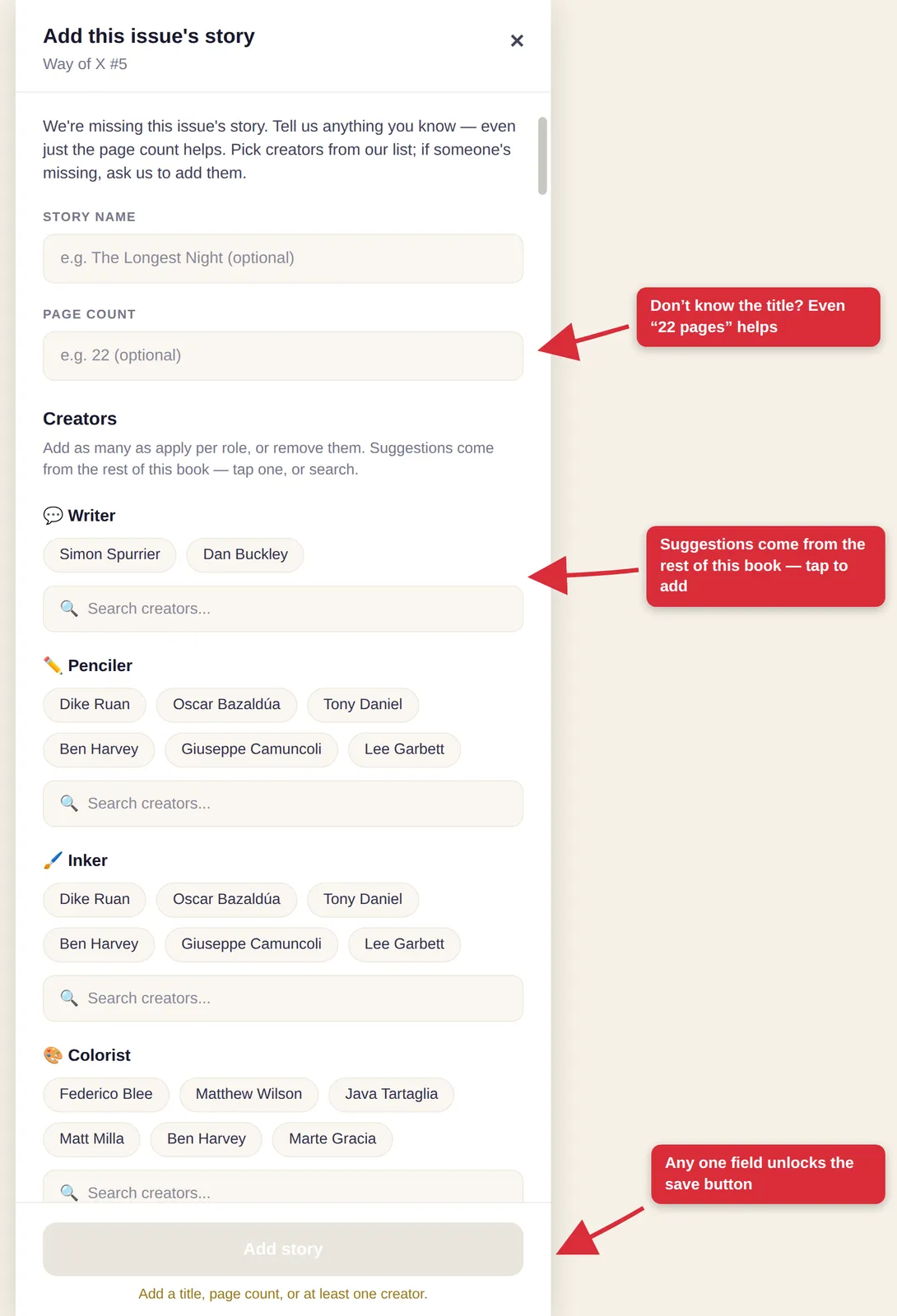
Add story details works the same way, and the bar is even lower: tell us anything. The title, the page count, a creator — whatever you know. Even "22 pages" on its own is a real contribution, and any single field unlocks the save button.
Recap pages
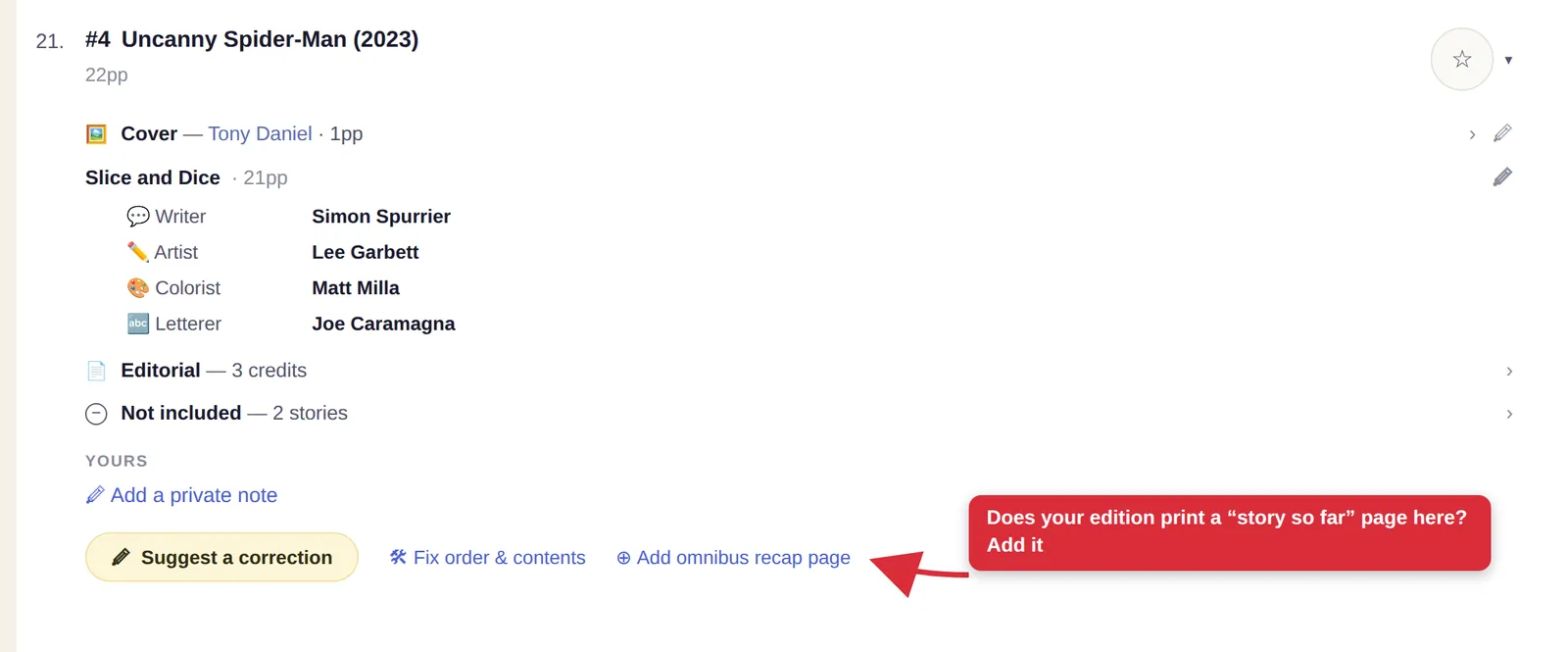
One more, and it's a subtle one. Omnibuses often jump between series and eras, so publishers print a "story so far" page before an issue — a bit of context to set up what you're about to read. These pages never ran in the original comics; they exist only in the collected edition. That also means they'll never show up on an issue's regular record, so if your edition prints one, you can add it yourself with the Add omnibus recap page link on any issue.
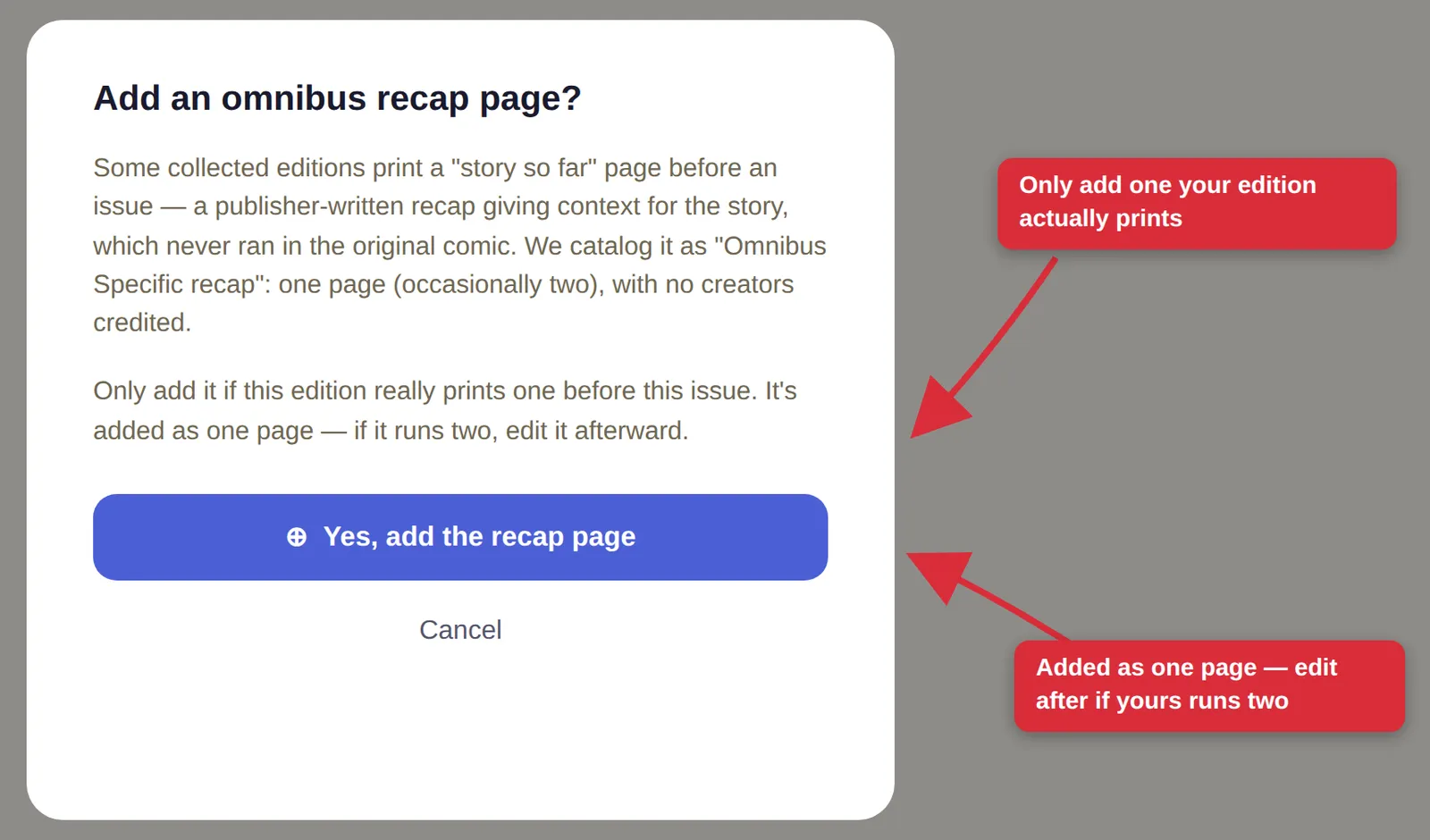
A short confirmation covers the ground rules: we catalog these as "Omnibus Specific recap," one page with no creators credited, and you should only add one if your edition really prints it before that issue. If yours runs two pages, add it first and edit the page count afterward.
One database, powered by you
However you pitch in — re-including stories, crediting a cover, filling in a blank issue, or logging a recap page — the result is the same: a better book for you and for everyone who opens it after you. One omnibus at a time, the database gets better, powered by the collectors who care about it most.